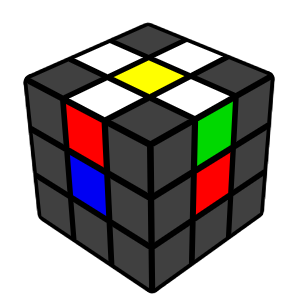
Daisy
Move all four white edge pieces around the yellow center to form a daisy.
Move all four white edge pieces around the yellow center to form a daisy.
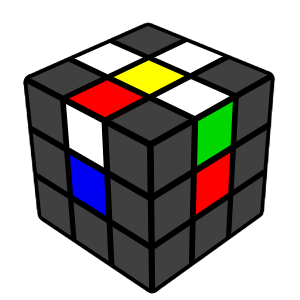
Bad Edge
If a white edge is stuck in the wrong place, insert it into the middle layer to remove it. Then rotate the top layer so the correct edge is above the yellow center.
If a white edge is stuck in the wrong place, insert it into the middle layer to remove it. Then rotate the top layer so the correct edge is above the yellow center.
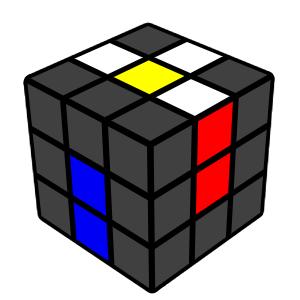
Align the Edges
Match the non‑white colour of each edge with its center (e.g., white–blue edge goes above the blue center). Once aligned, turn that face 180° to move the edge to the bottom.
Match the non‑white colour of each edge with its center (e.g., white–blue edge goes above the blue center). Once aligned, turn that face 180° to move the edge to the bottom.
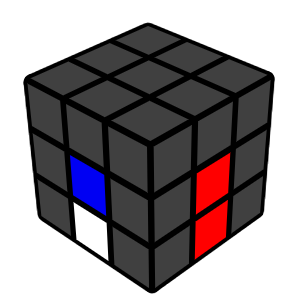
Flipped Edge
If an edge is flipped in the bottom layer, bring it back up by inserting it into the middle layer, then redo the alignment step.
If an edge is flipped in the bottom layer, bring it back up by inserting it into the middle layer, then redo the alignment step.
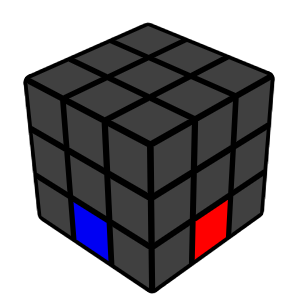
First Step Complete!
Great job — your white cross is now solved.
Great job — your white cross is now solved.